Run every table, kitchen and branch from one place
RMS Cloud is restaurant management in the cloud: point of sale, kitchen display, inventory, purchasing, accounts, HR and payroll, with live dashboards for one outlet or a whole group. Register online and be taking orders in minutes.
Front of house, the kitchen and the office all work from the same live data. Every bill updates stock, every purchase updates costs, and every day's sales reach the accounts on their own.
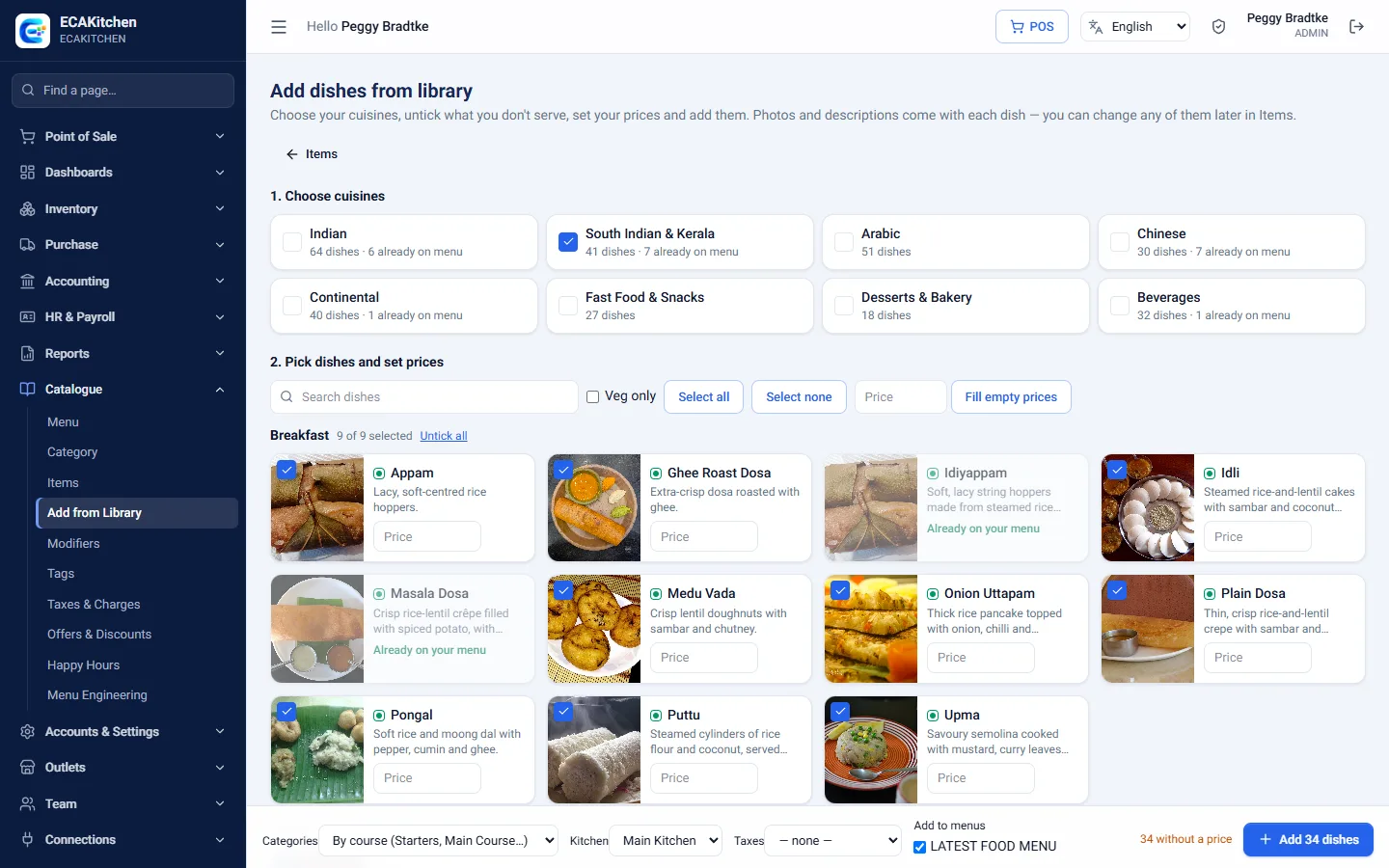
Ready in minutes. Register online, add your menu or pick dishes from the built-in library, and start billing.
Built for groups. Add branches as you grow and see each one alone or all together.
Know your food cost. Recipes and live purchase prices show what every dish really costs.
Nothing to install. Runs in the browser on tablets, PCs and phones.
Ticket waiting 14 minHighlighted on the kitchen screenLate
Chicken price up 8%Spotted on the supplier billAlert
Day closedSales posted to the accountsDone
Features
Everything a restaurant runs on
Pick an area to see what it does.
Point of Sale
Fast billing for dine-in, takeaway and delivery, on any tablet or PC.
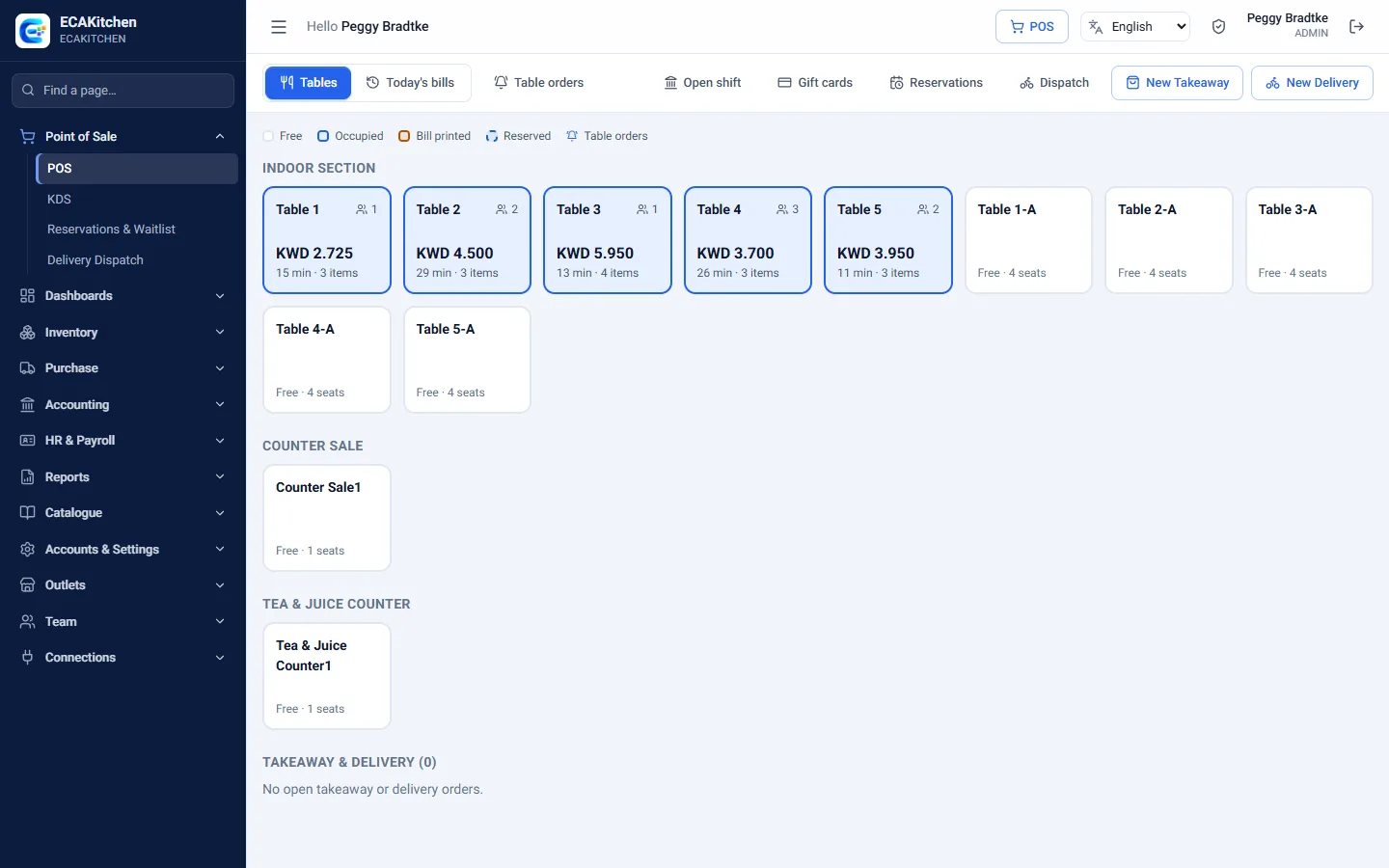
Live floor plan with table status
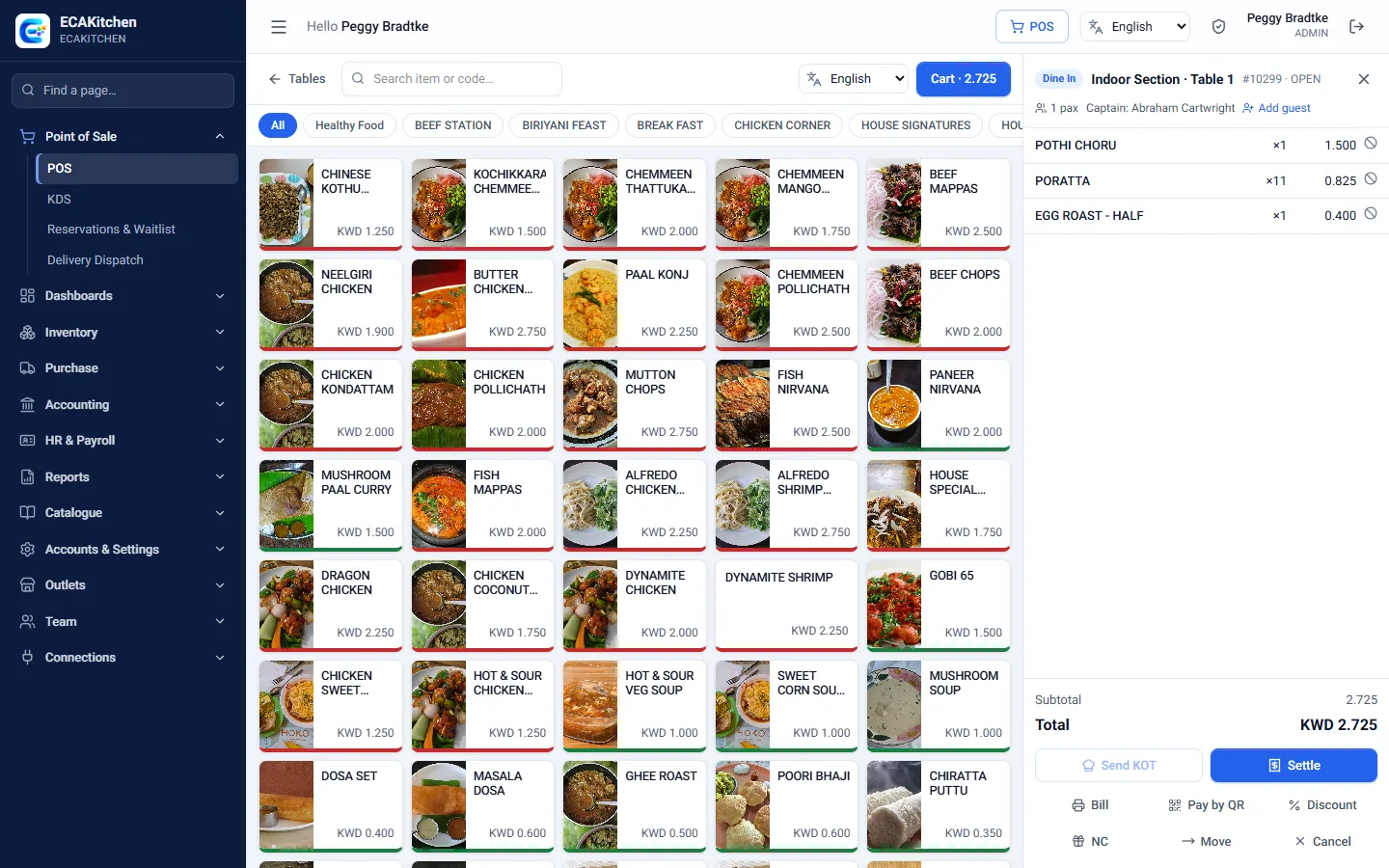
Item grid by category with photos and veg / non-veg markers
Modifiers, instructions and add-on rounds
Send orders to the kitchen with one tap
Discounts, complimentary orders and voids with reasons
Move or merge tables
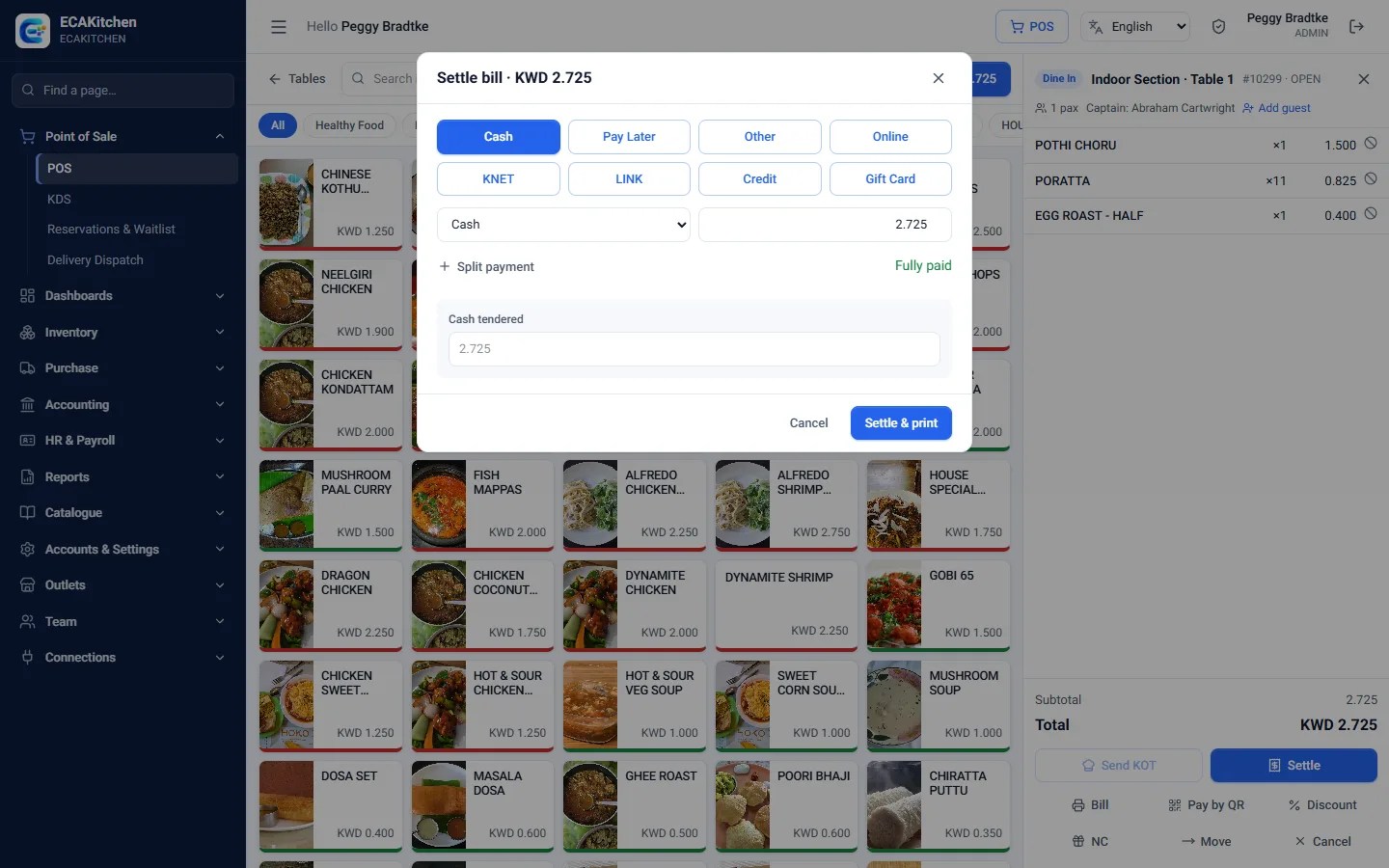
Split payments by cash, card or wallet, with change
Guest lookup, delivery areas and drivers
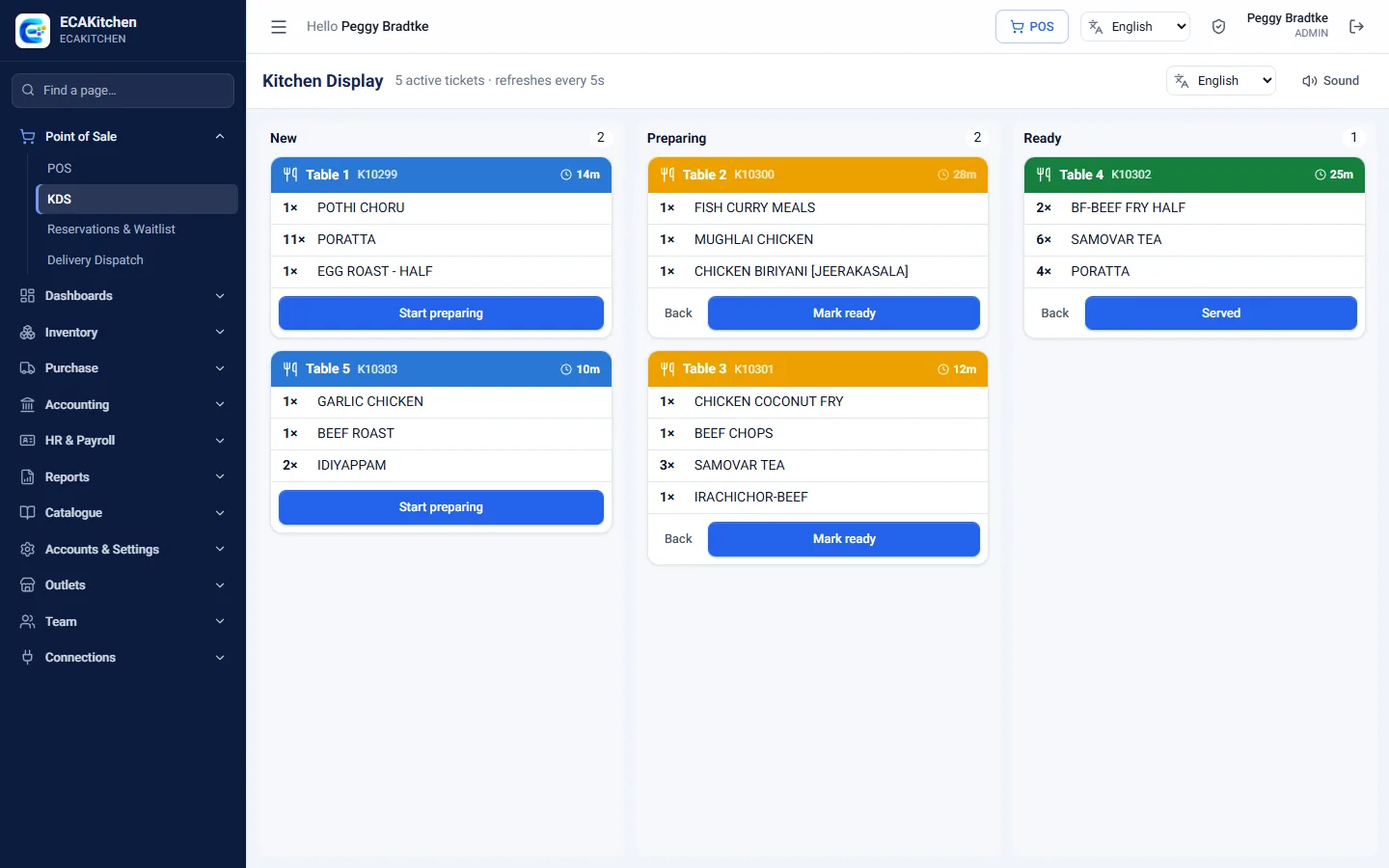
Kitchen Display
Paperless kitchens that know what to cook next.
New, preparing, ready and served columns
Ticket age with late orders highlighted
Sound alert on every new ticket
One screen per kitchen or section
Ready status flows back to the till
Works on any screen with a browser
Inventory & Purchasing
Know what you have, what it cost and where it went.
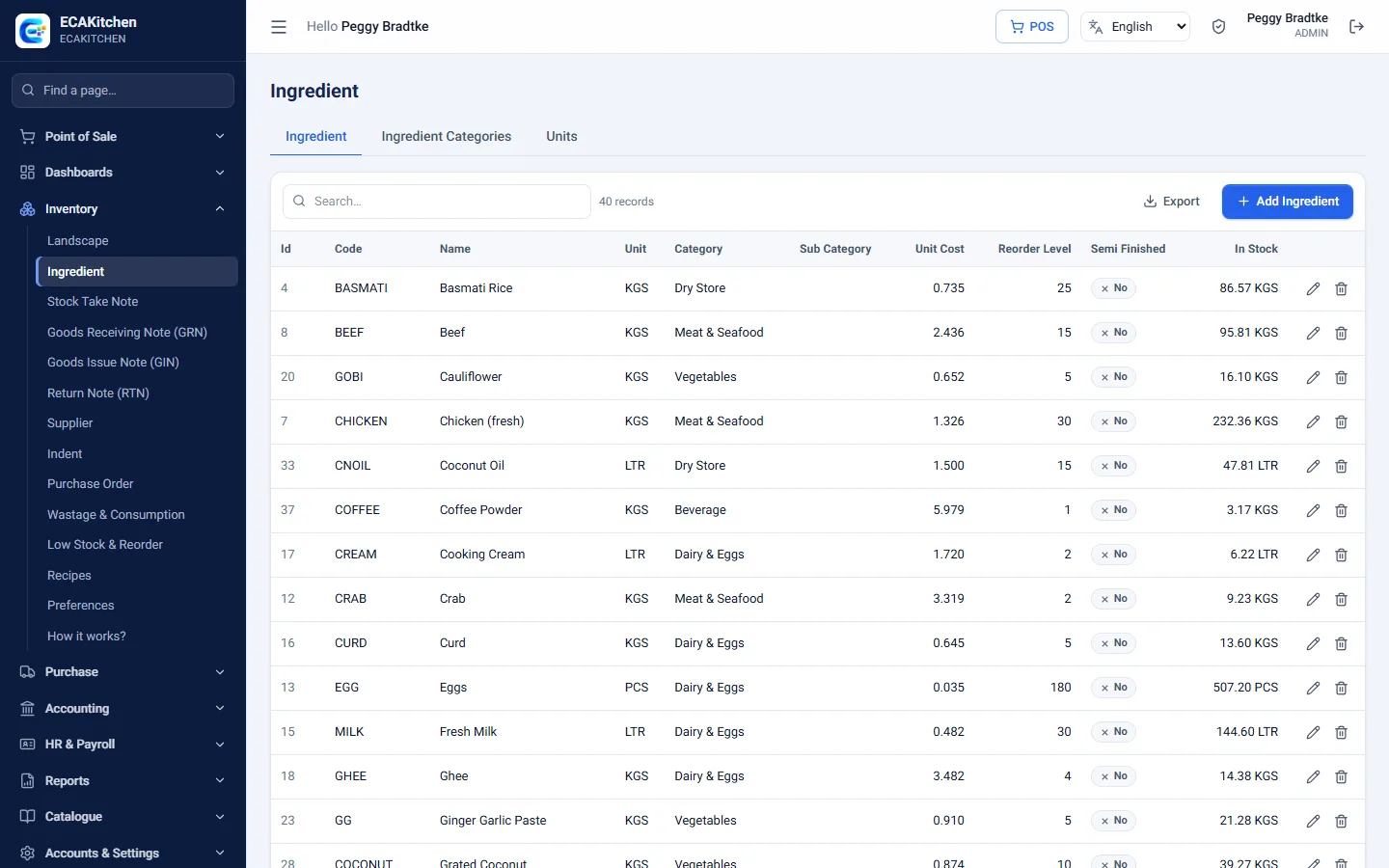
Recipes deduct ingredients on every sale
Stores, transfers, indents and stock takes
Purchase orders, goods received and supplier bills
Scan supplier invoices from a photo or PDF
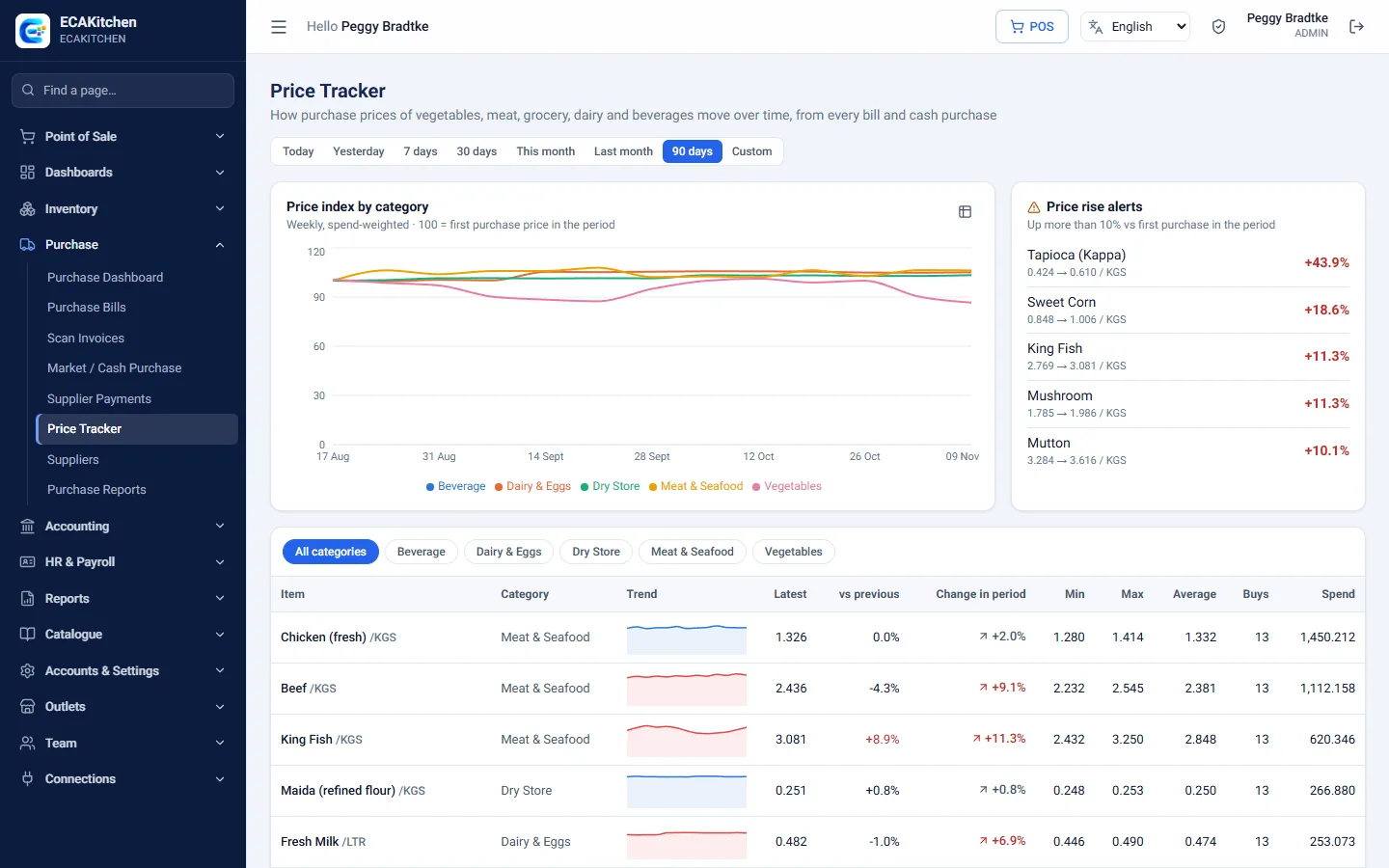
Price tracker with alerts when costs rise
Wastage, consumption and production
Food cost % by item and category
Low-stock alerts
Accounts
Your books stay up to date while you serve.
Daily sales posted to the ledger automatically
Restaurant chart of accounts ready to use
Supplier payables, payments and petty cash
Bank accounts and reconciliation
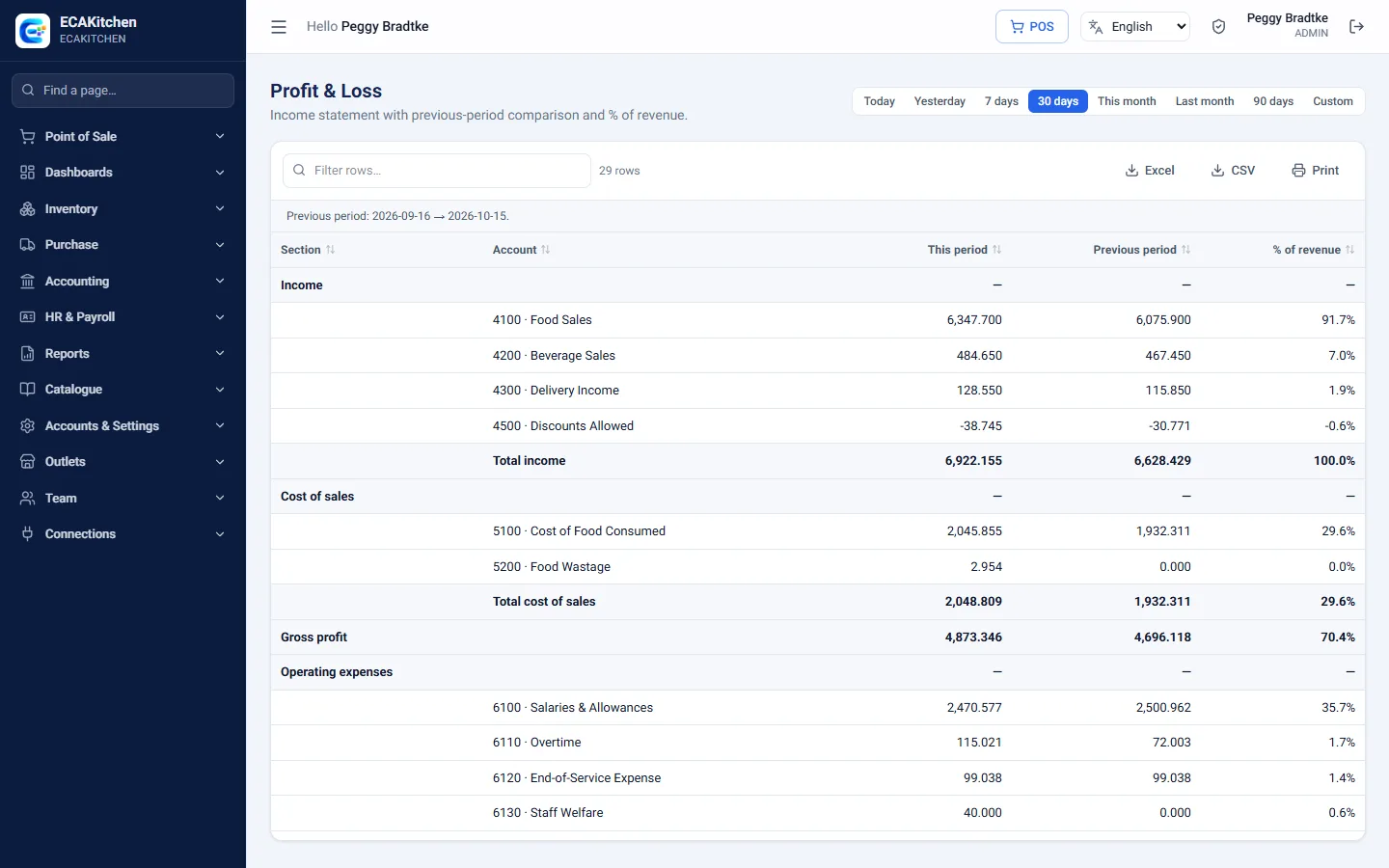
Trial balance, profit & loss, balance sheet and cash flow
Per-branch and consolidated accounts
Payables and receivables ageing
Period lock to protect closed months
HR & Payroll
Staff, shifts and salaries for the whole team.
Employees with shifts, days off and salary details
Attendance with late and overtime worked out
PIN time-clock kiosk
Leave requests and approvals
Salary advances with monthly recovery
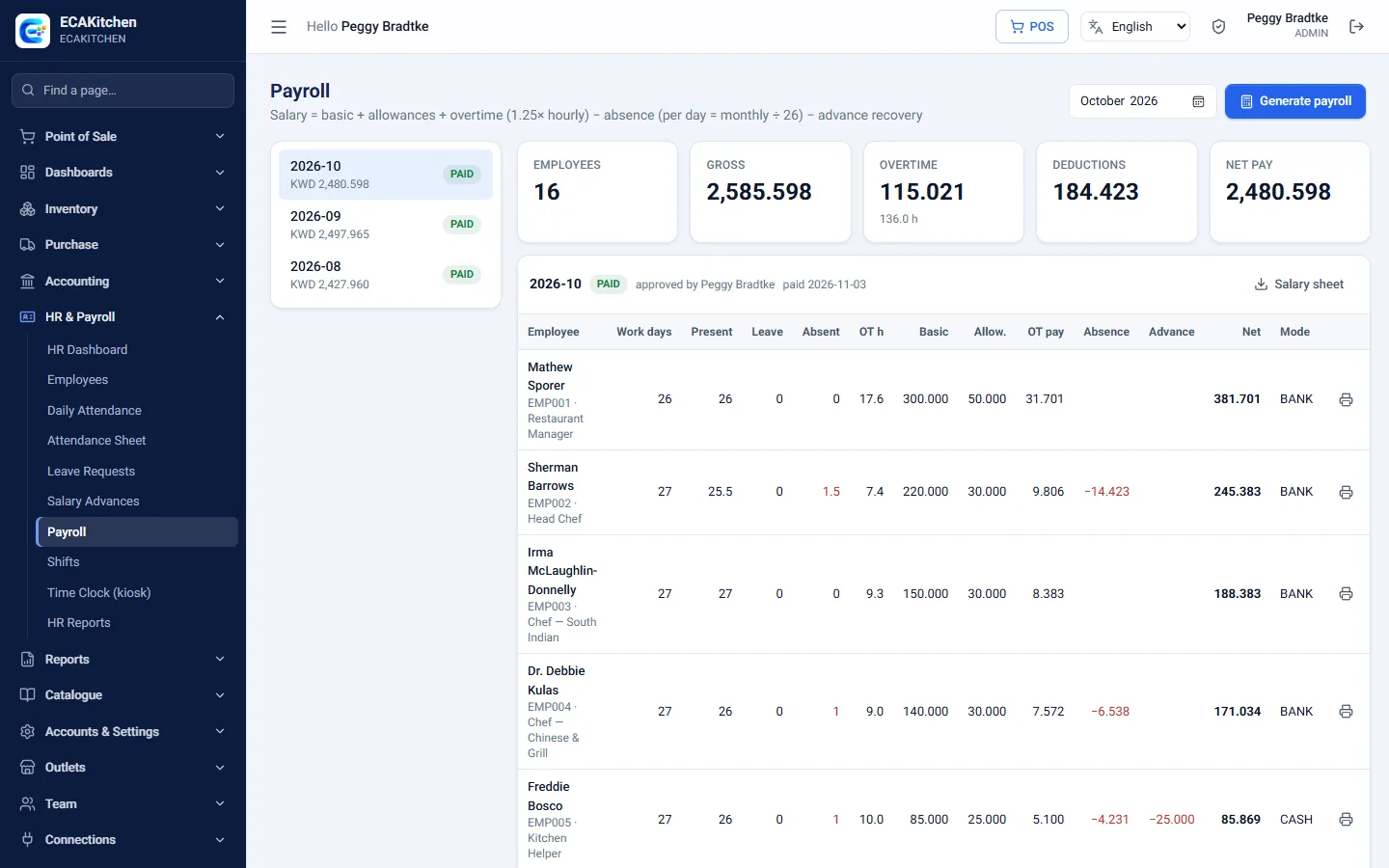
Payroll posted to the accounts, with payslips
End-of-service estimate
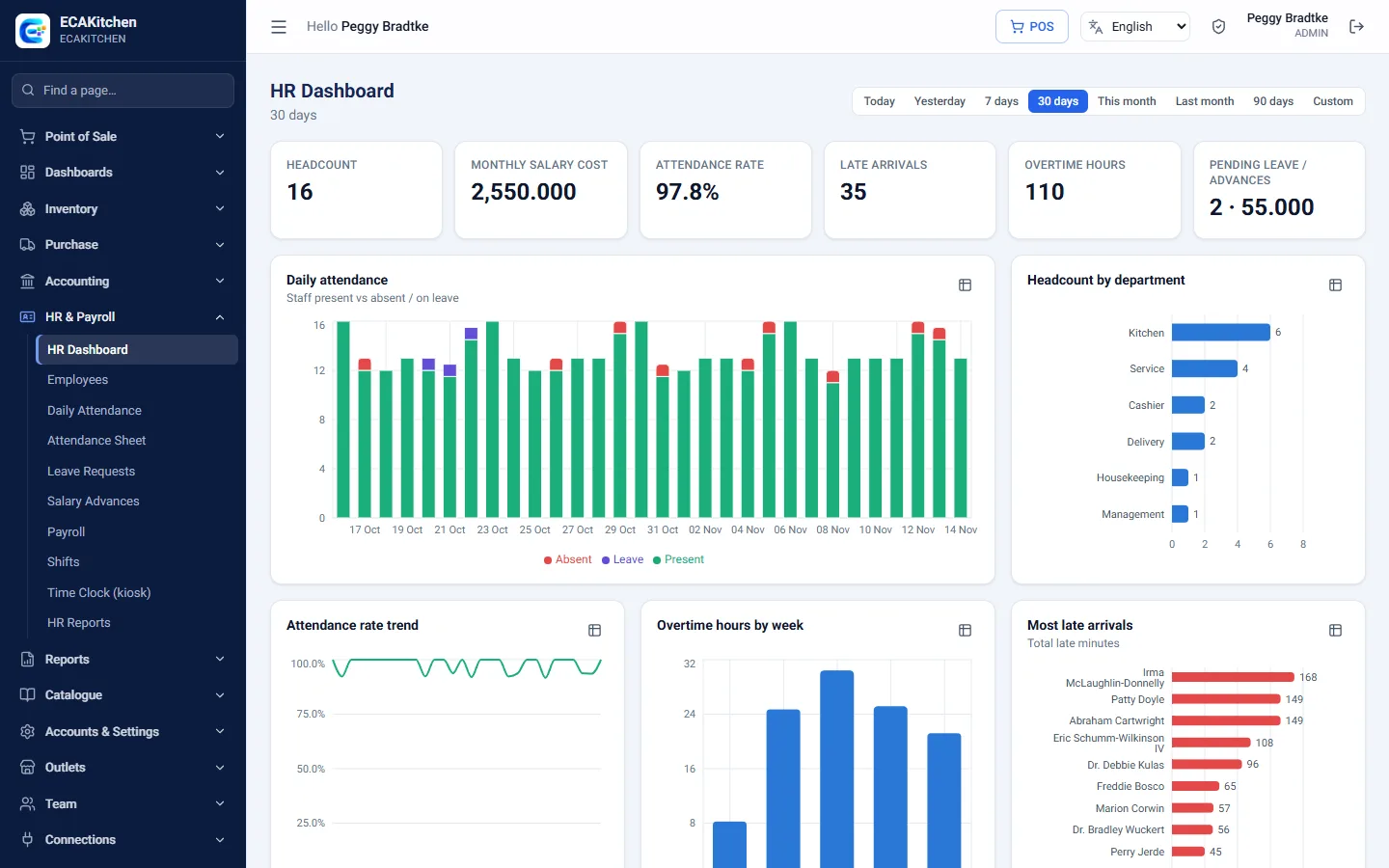
HR dashboard and reports
Dashboards & Reports
Every number an owner asks for, on one screen.
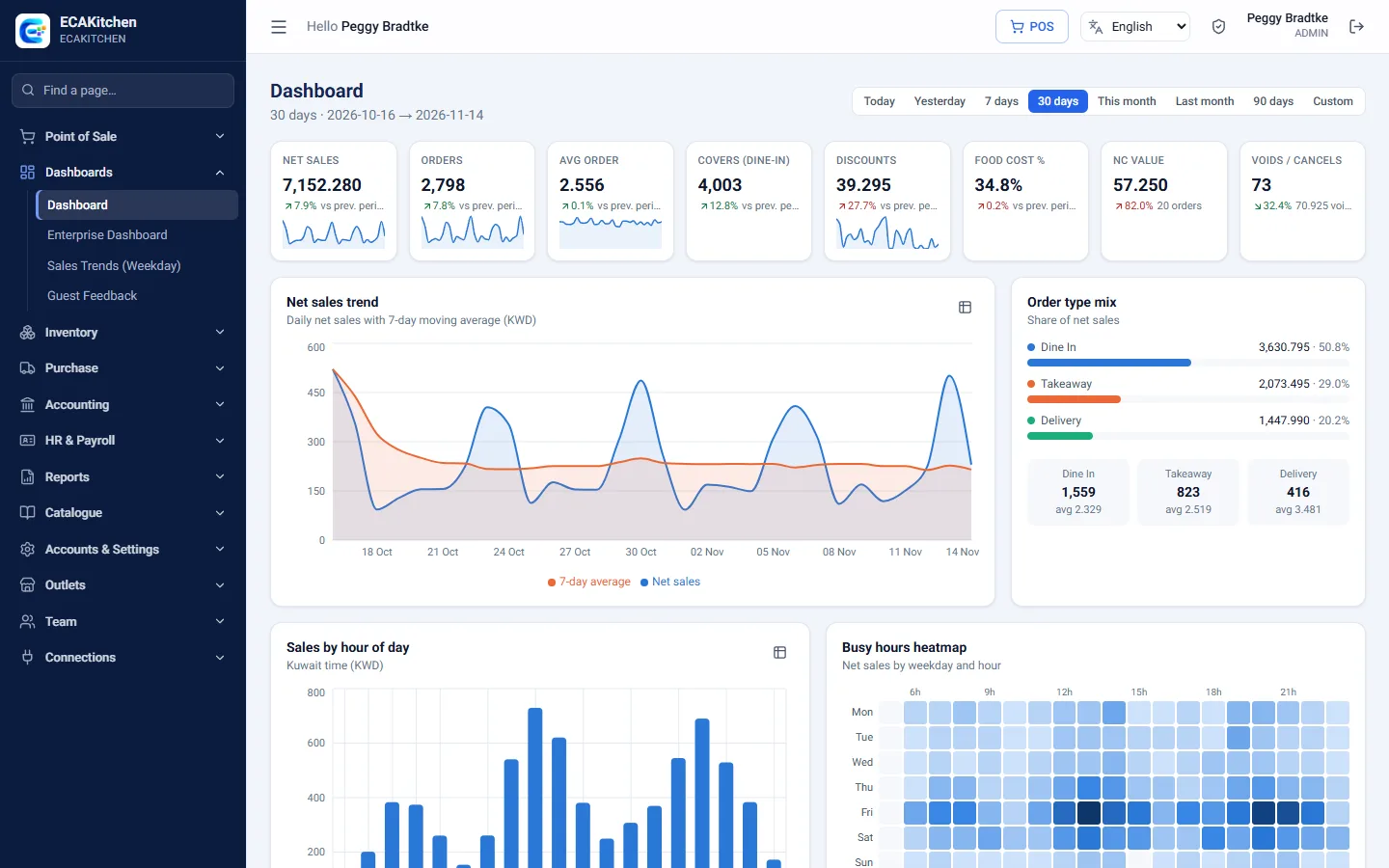
Sales, orders, average bill and covers vs last period
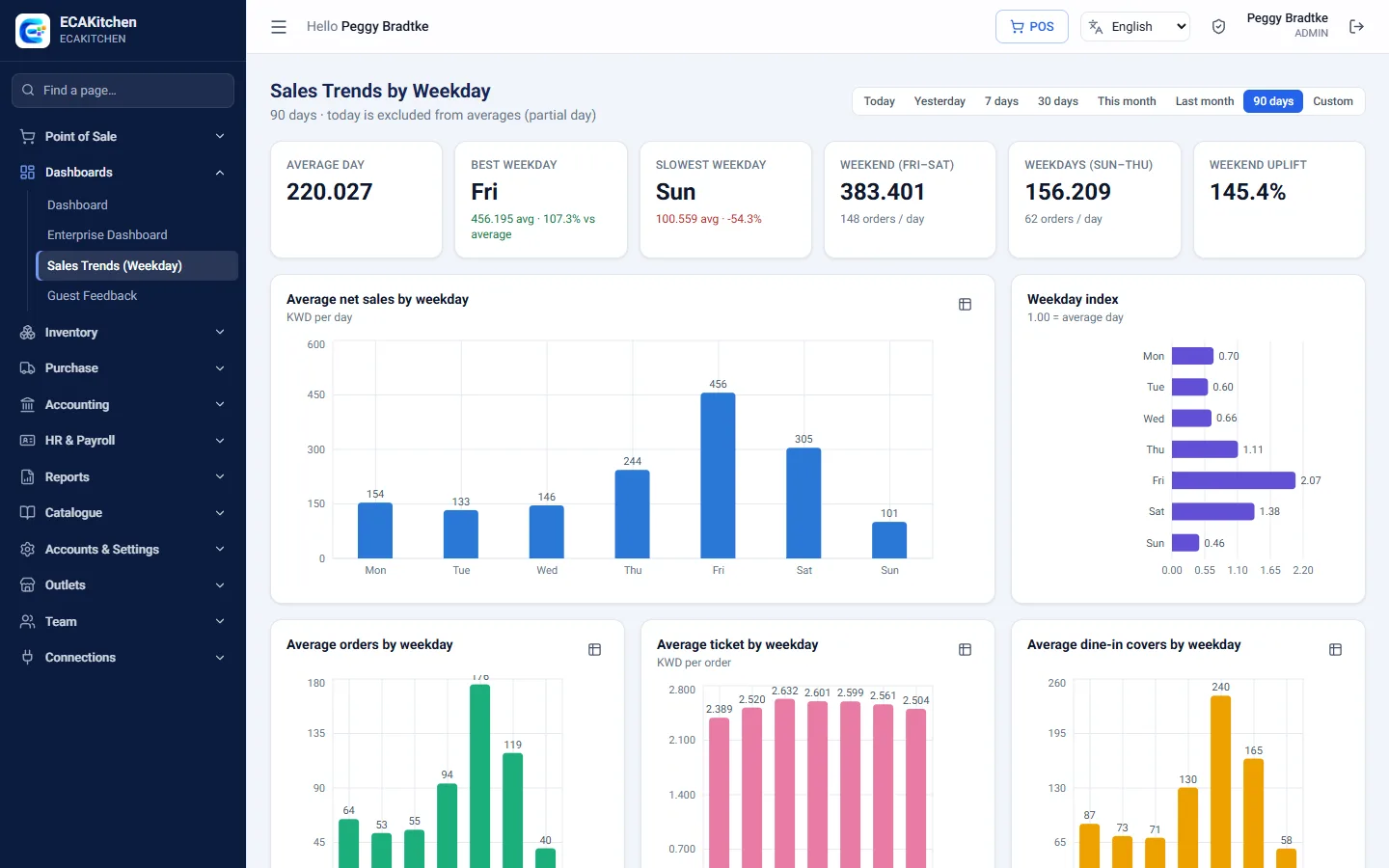
Sales by hour, weekday and order type
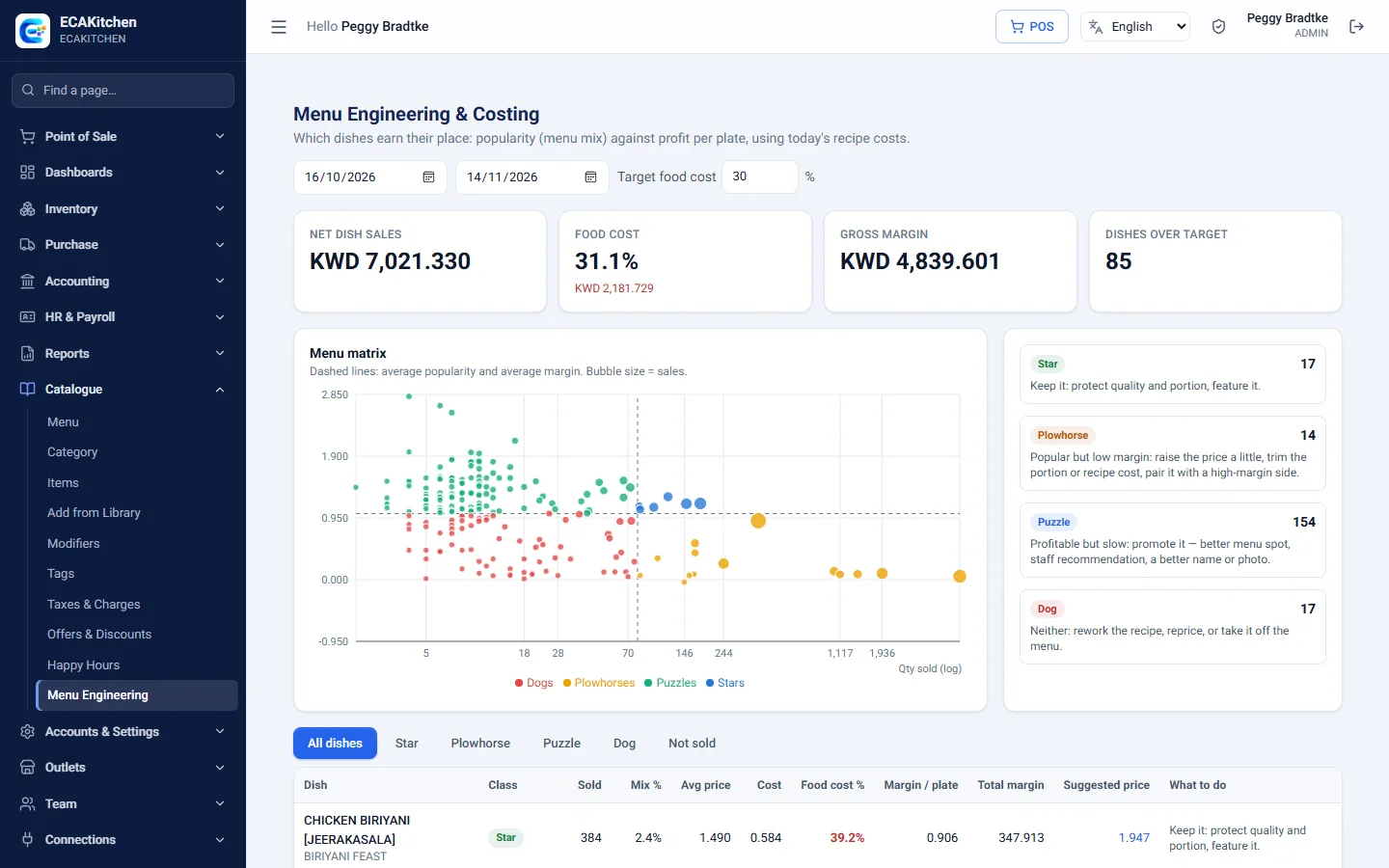
Top items and menu-engineering matrix
Group dashboard across all outlets
Over 30 reports: day end, items, voids, tax, payments, stock and more
Export to Excel or print
Guests & Online
Let guests order, book and pay their way.
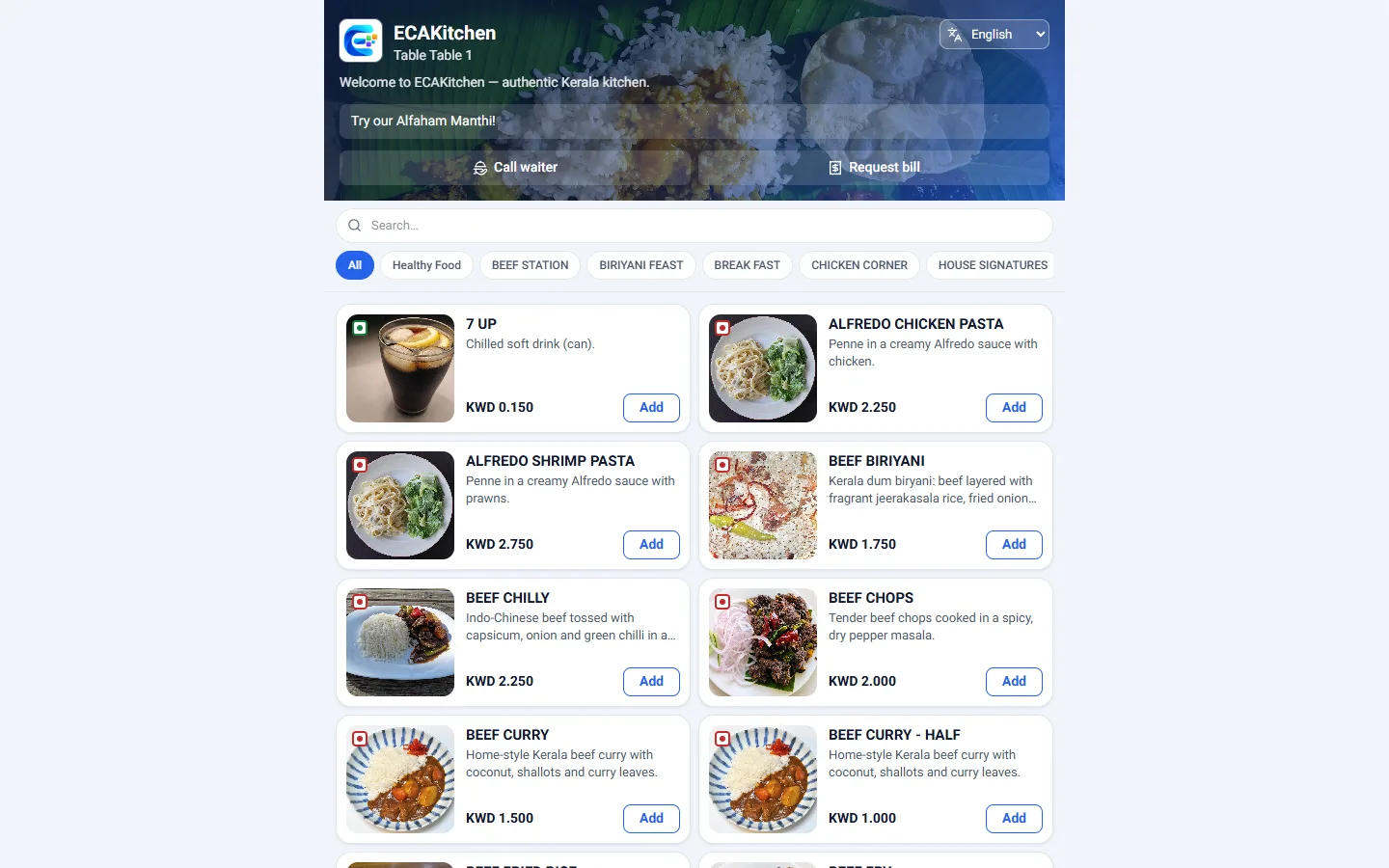
QR table ordering in the guest's own language
Call the waiter or ask for the bill from the table
Digital menu with dish photos
Online table booking
Delivery-app orders straight into the till
Guest history for regulars
Branches & Control
Grow from one outlet to many without losing control.
Branch logins that only see their own outlet
Owner view across every branch
Roles with view, create, edit, delete and approve rights
Two-step sign-in with an authenticator app
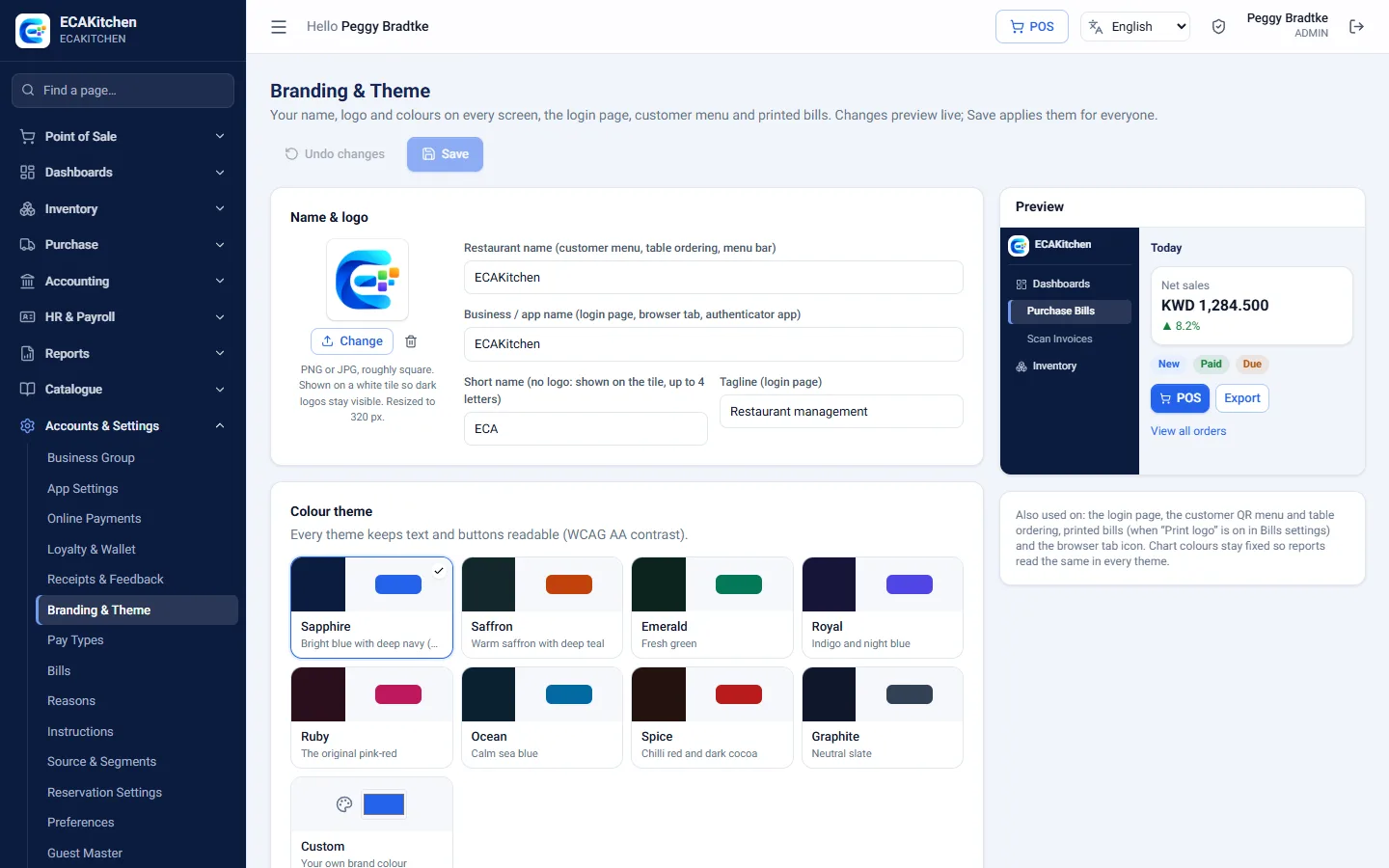
Your logo, colours and restaurant name
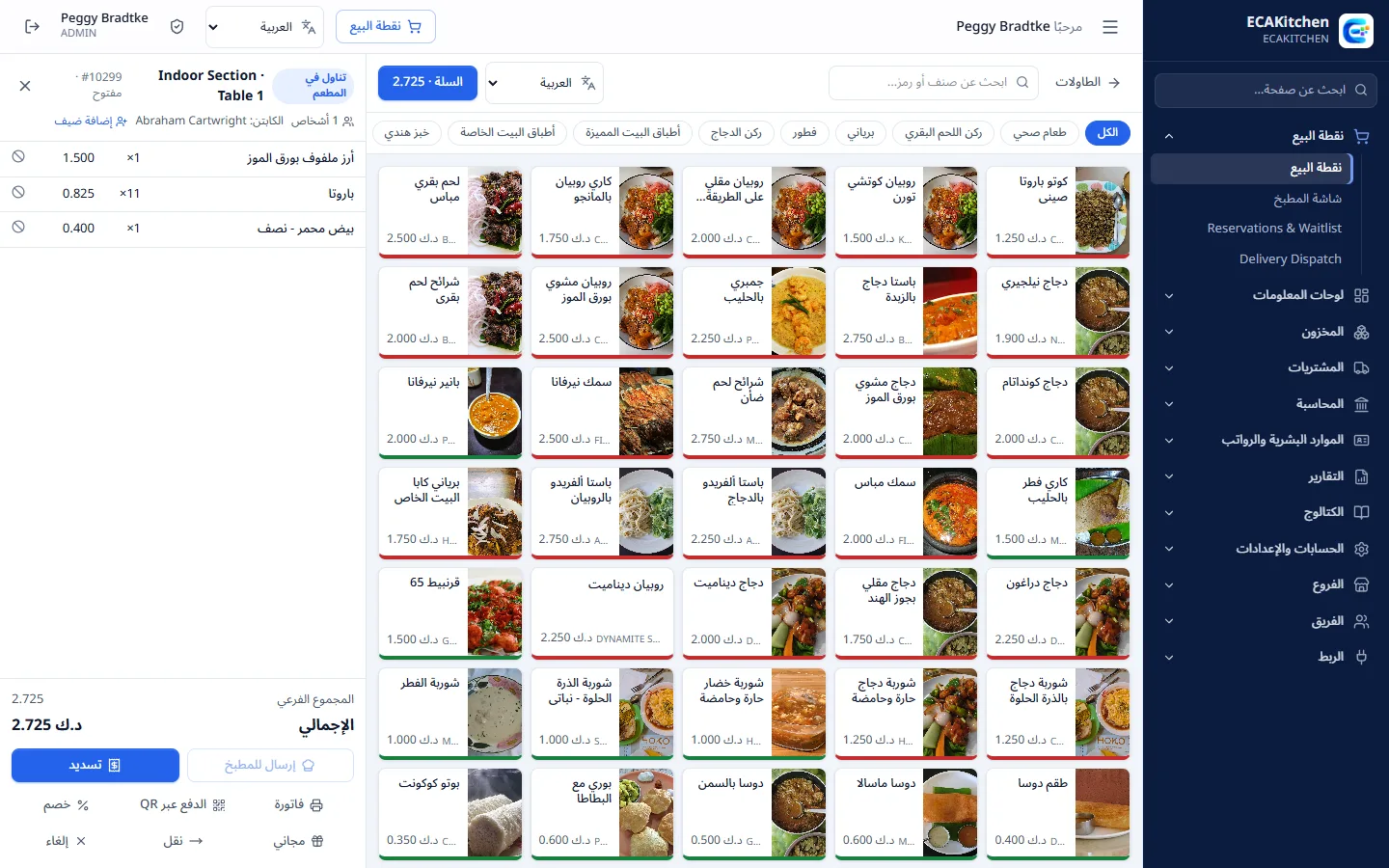
English, Arabic, Hindi and Malayalam on the till and kitchen screens
Product tour
See RMS Cloud in action
A tour of the real application, screen by screen. Pick a step or let it play.
RMS Cloud
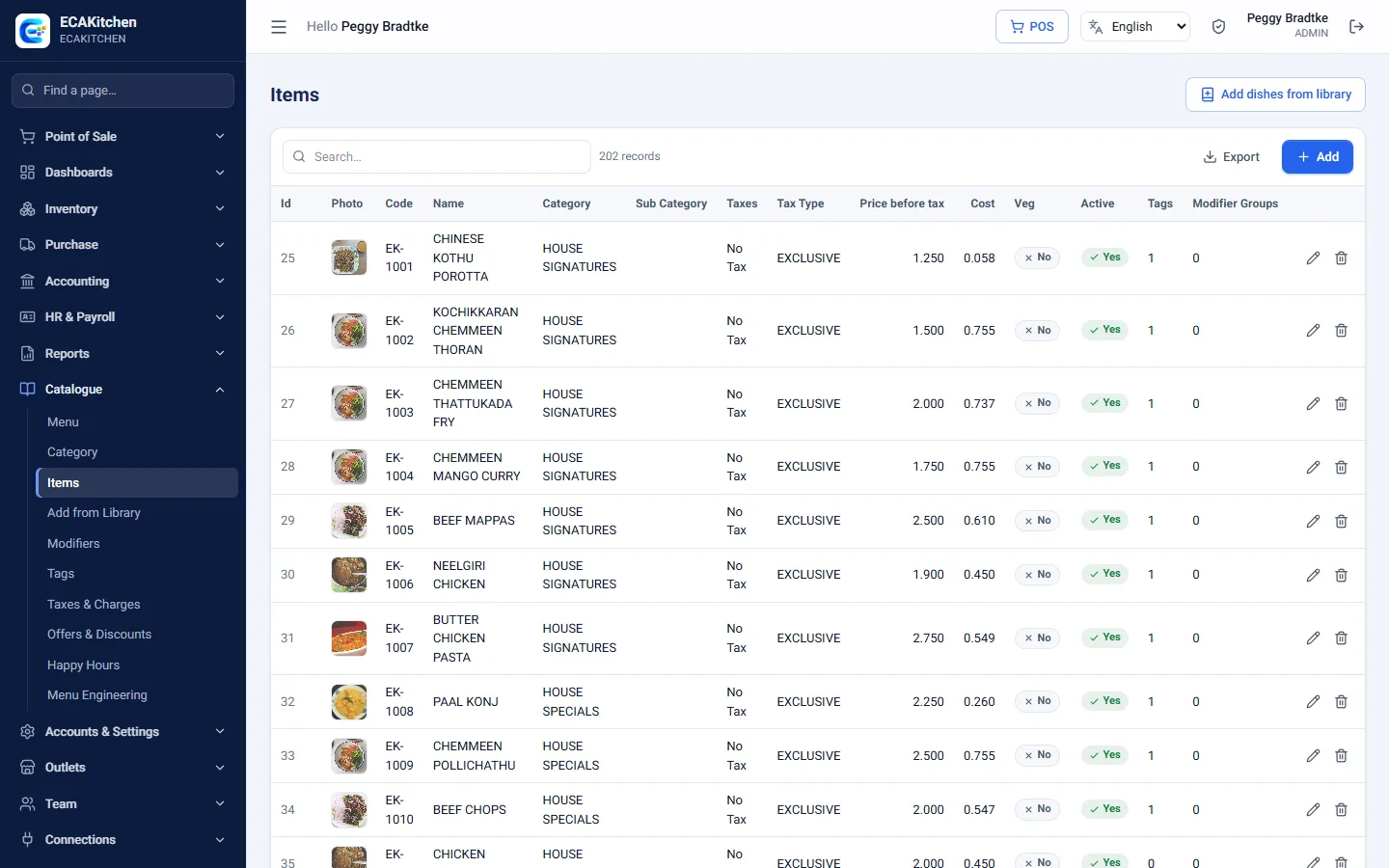
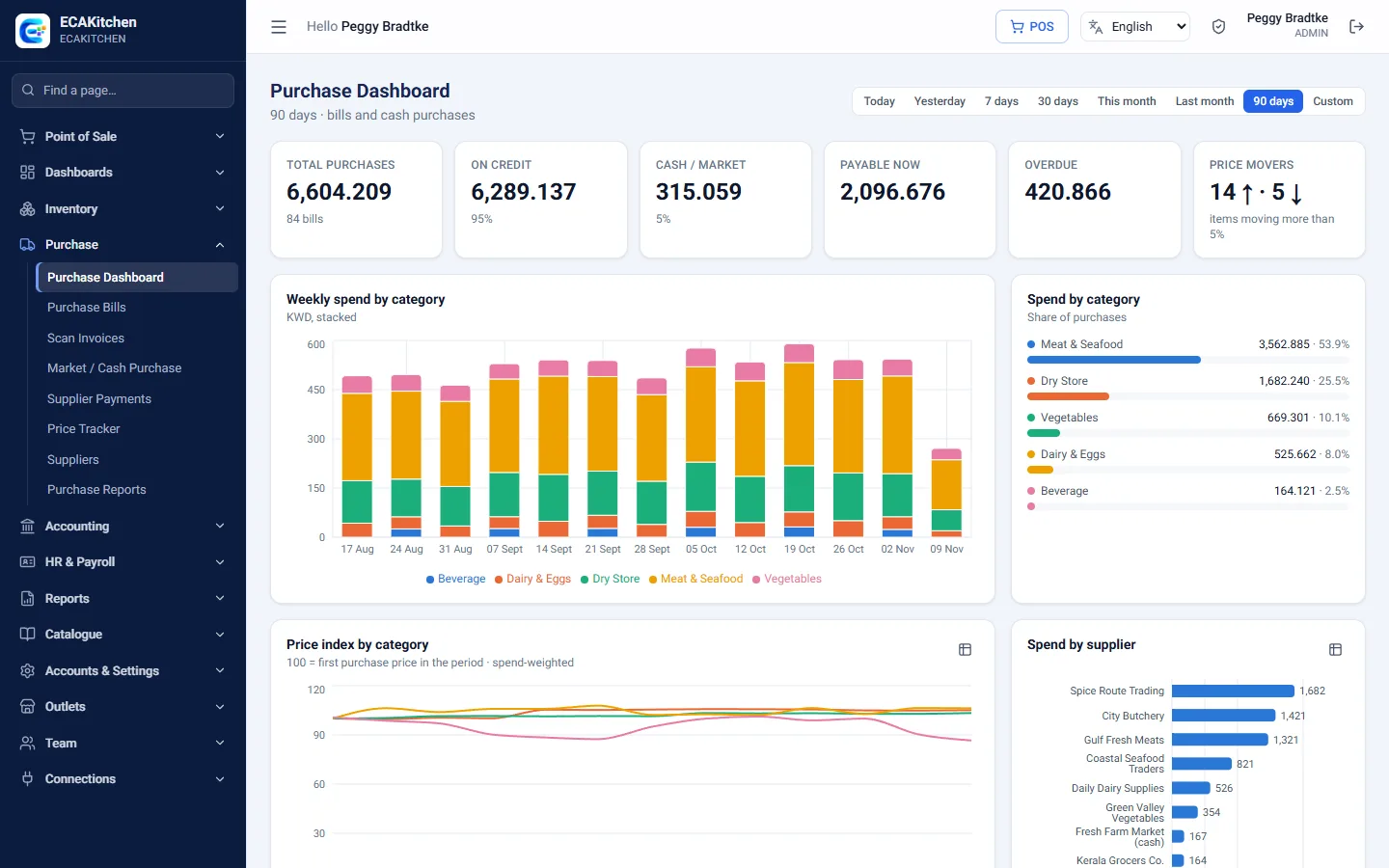
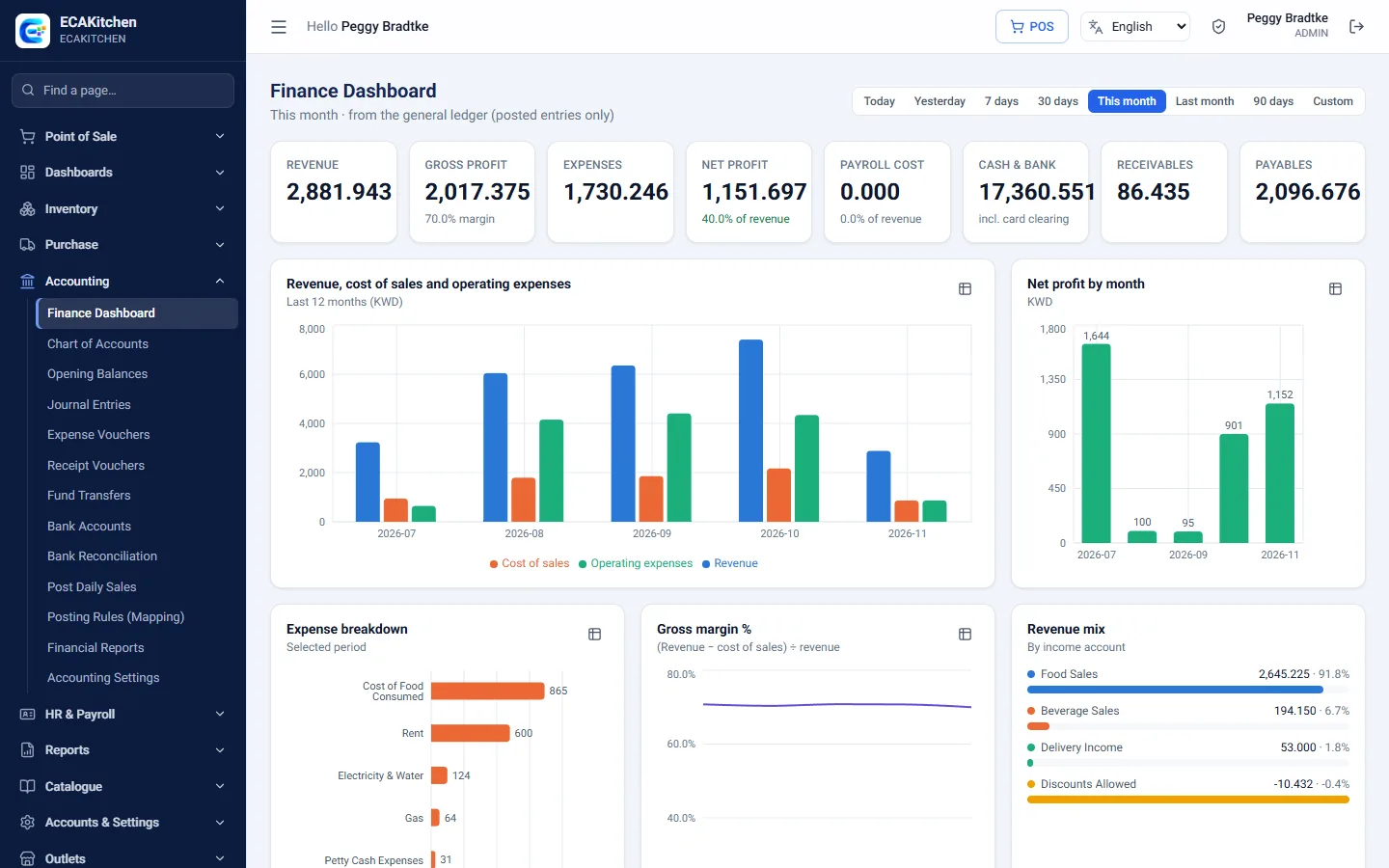
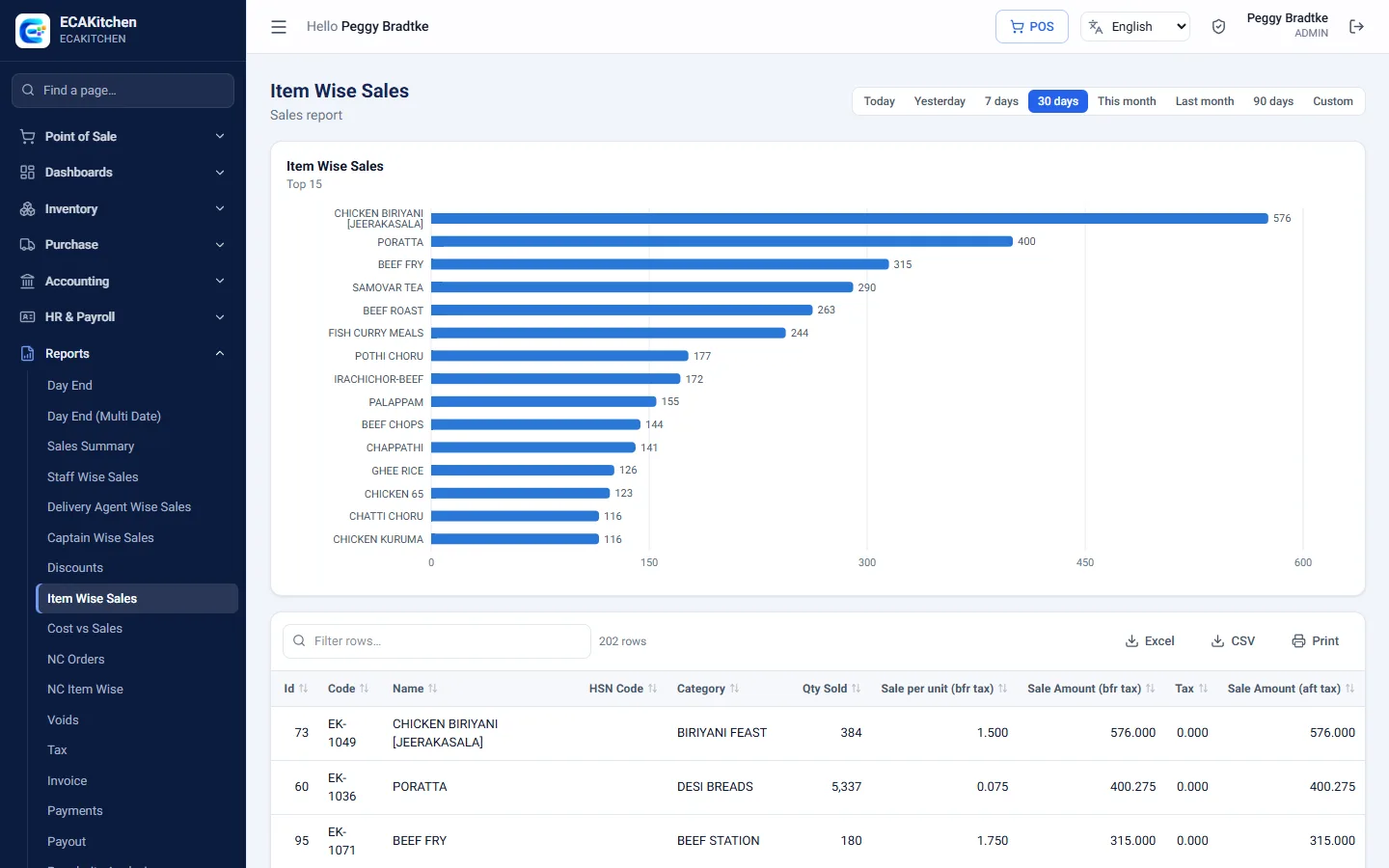
Owner Dashboard Sales, orders, average bill, covers, food cost and voids for any period, compared with the period before. Charts show the sales trend, the order type mix and the busiest hours of the week.Live Floor Plan Every table at a glance: free, occupied, bill printed or reserved, with the running total, number of guests and how long they have been seated. Start a takeaway or delivery order from the same screen.Taking an Order Tap dishes from a photo menu grouped by category, with veg and non-veg markers. Send the order to the kitchen, add more rounds, apply discounts, move the table or print the bill from the side panel.Settling the Bill Take payment by cash, card, wallet, online link, gift card or on account. Split a bill across several payment types, and the change due is worked out for the cashier.Kitchen Display Orders arrive in the kitchen the moment they are sent. Cooks move each ticket from New to Preparing to Ready, ticket age is shown on every card, and late orders stand out.Guest QR Ordering Guests scan the QR code on their table to browse the menu with photos and descriptions, place an order, call the waiter or ask for the bill, in their own language.Arabic Point of Sale The till, kitchen screen and guest menu also work in Arabic, laid out right to left, as well as Hindi and Malayalam. Each device remembers its own language.Sales by Weekday See which days are busiest and how weekends compare with weekdays: average sales, orders, ticket size and covers for each day of the week.Menu Engineering Every dish is placed by how well it sells and how much it earns. Stars, plowhorses, puzzles and dogs come with a suggested price and a plain next step.Menu Items Manage every dish with its photo, code, category, price, cost, tax and modifiers. Search, export to Excel and edit in place.Dish Library Build a menu fast: pick a cuisine and choose from ready-made dishes that come with a photo and a description, then just set your prices.Live Stock Every ingredient with its unit cost, reorder level and stock on hand, updated as recipes are used up by each sale and as goods are received.Purchase Dashboard Total purchases, credit and cash buying, what is due to suppliers and what is overdue, with weekly spend by category and spend by supplier.Price Tracker Follow what you pay for meat, vegetables, dairy and groceries over time. Price-rise alerts flag any item that has gone up by more than 10%.Finance Dashboard Revenue, gross profit, expenses, net profit, cash and bank, receivables and payables, straight from the ledger that daily sales and bills post to.Profit & Loss A restaurant profit and loss statement compared with the previous period, with each line as a share of revenue. Export to Excel or CSV, or print.Sales Reports Over 30 reports, such as item-wise sales, with a chart of the best sellers and a full table you can filter, sort, export or print.HR Dashboard Headcount, salary cost, attendance rate, late arrivals and overtime, with daily attendance and headcount by department.Payroll Run monthly payroll with basic pay, allowances, overtime, absence and advance recovery worked out for each employee. Approve it, pay by bank or cash, and print payslips.Your Brand Set your restaurant name, logo and colour theme. They appear on every screen, the login page, the guest menu and printed bills.
1 / 20
Screens show the ECAKitchen demo restaurant with sample data. Dish photos: Wikimedia Commons contributors (CC BY / CC BY-SA).
Made for
Food businesses of every size
Restaurants & cafés
Dine-in, takeaway and delivery from one till, with the kitchen always in step.
Restaurant groups
Several outlets with shared menus and suppliers, and separate or combined accounts.
Cloud kitchens
Delivery-app orders, kitchen screens and food cost control for delivery-first brands.
Get started
Up and running in four steps
1
Register
Enter your restaurant name, first branch and contact details online.
2
Choose a plan
Pick the plan and modules that fit your restaurant.
3
Add your menu
Type it in, or pick dishes with photos from the library.
4
Start billing
Sign in your staff on tablets or PCs and take the first order.
Just a browser and an internet connection. It runs on tablets, PCs and phones, and bills print to your receipt printer.
Can I run several branches?
Yes. Each branch has its own tables, menus, kitchens and staff, while the menu catalogue, suppliers and accounts are shared. Owners can switch between one branch and all branches at any time.
Does it work in Arabic?
Yes. The till, kitchen screen, guest ordering and printed bills work in English and Arabic, as well as Hindi and Malayalam, and each device remembers its language.
Is my restaurant's data kept separate?
Yes. Every restaurant's data is fully separated from every other restaurant on the service, and each user only sees the branches and screens their role allows.
How do I sign up?
Use the online registration to create your restaurant, choose a plan and get your admin login. If you would rather see it first, book a demo.
Ready to simplify your restaurant?
Register online in minutes, or ask us for a walk-through with your own menu.