

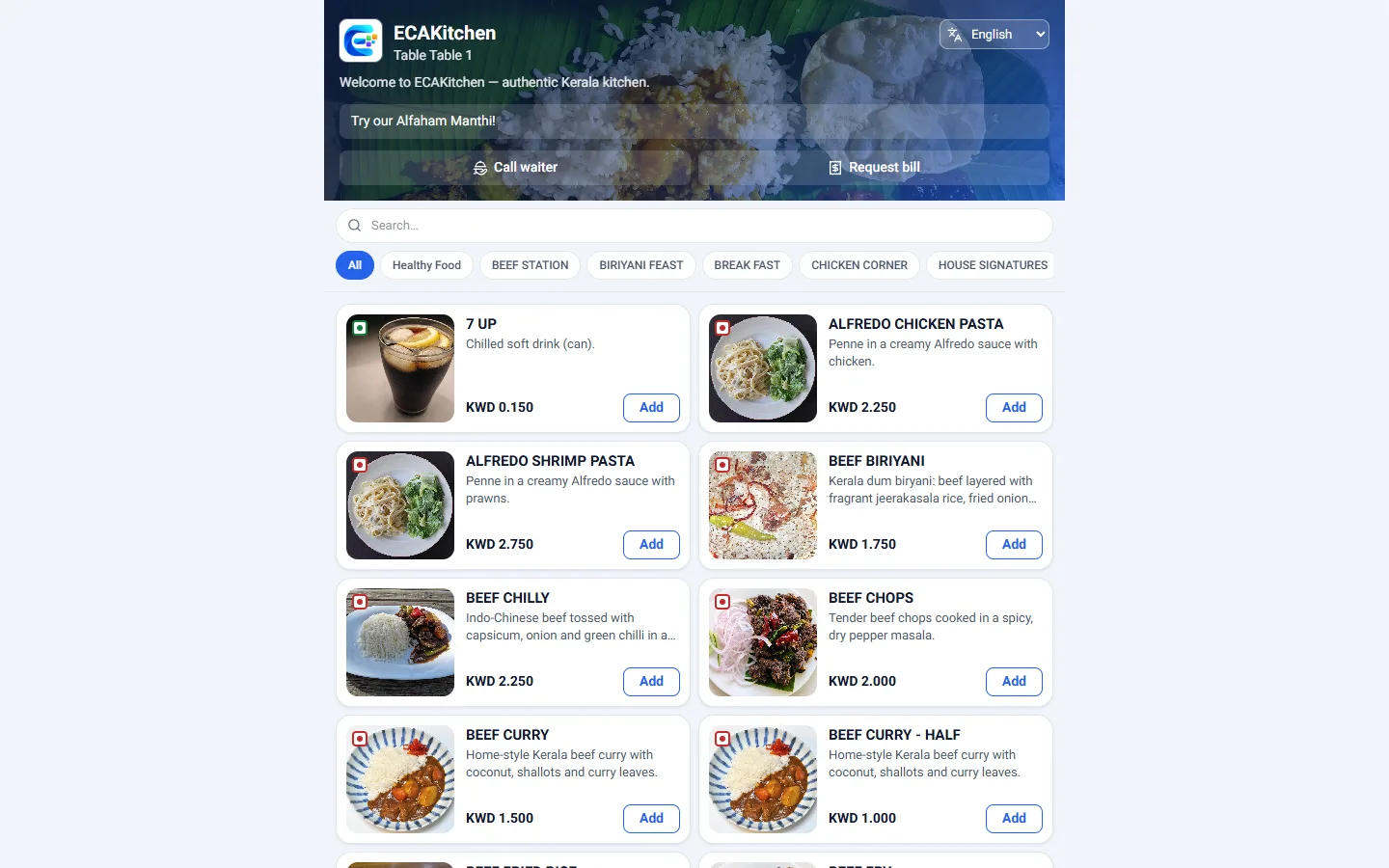
QR code menu & table ordering by RMS Cloud
Order from the table
No app to download. Guests scan and order from their own phone.
In the guest's language
The menu shows in the language the guest chooses.
Call the waiter or ask for the bill
Requests from the table reach your staff instantly.
Always up to date
Change a price or mark a dish unavailable and every table sees it at once.
Everything included
Let guests scan a QR code to see your digital menu with photos, order from the table in their own language, call the waiter or ask for the bill. Orders go straight to the kitchen.
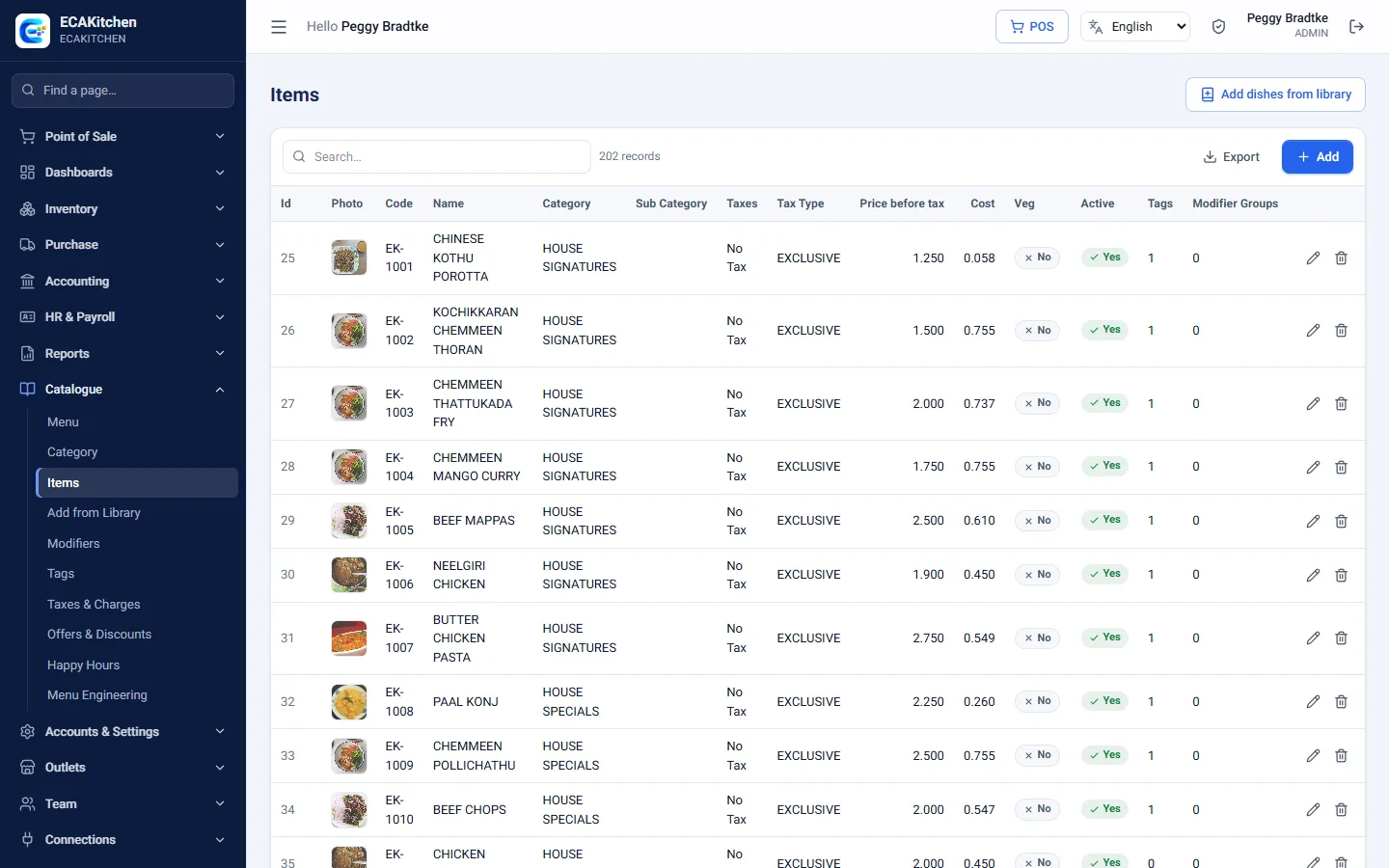
- Digital menu with dish photos
- Ordering from the table by QR code
- Call the waiter and request the bill
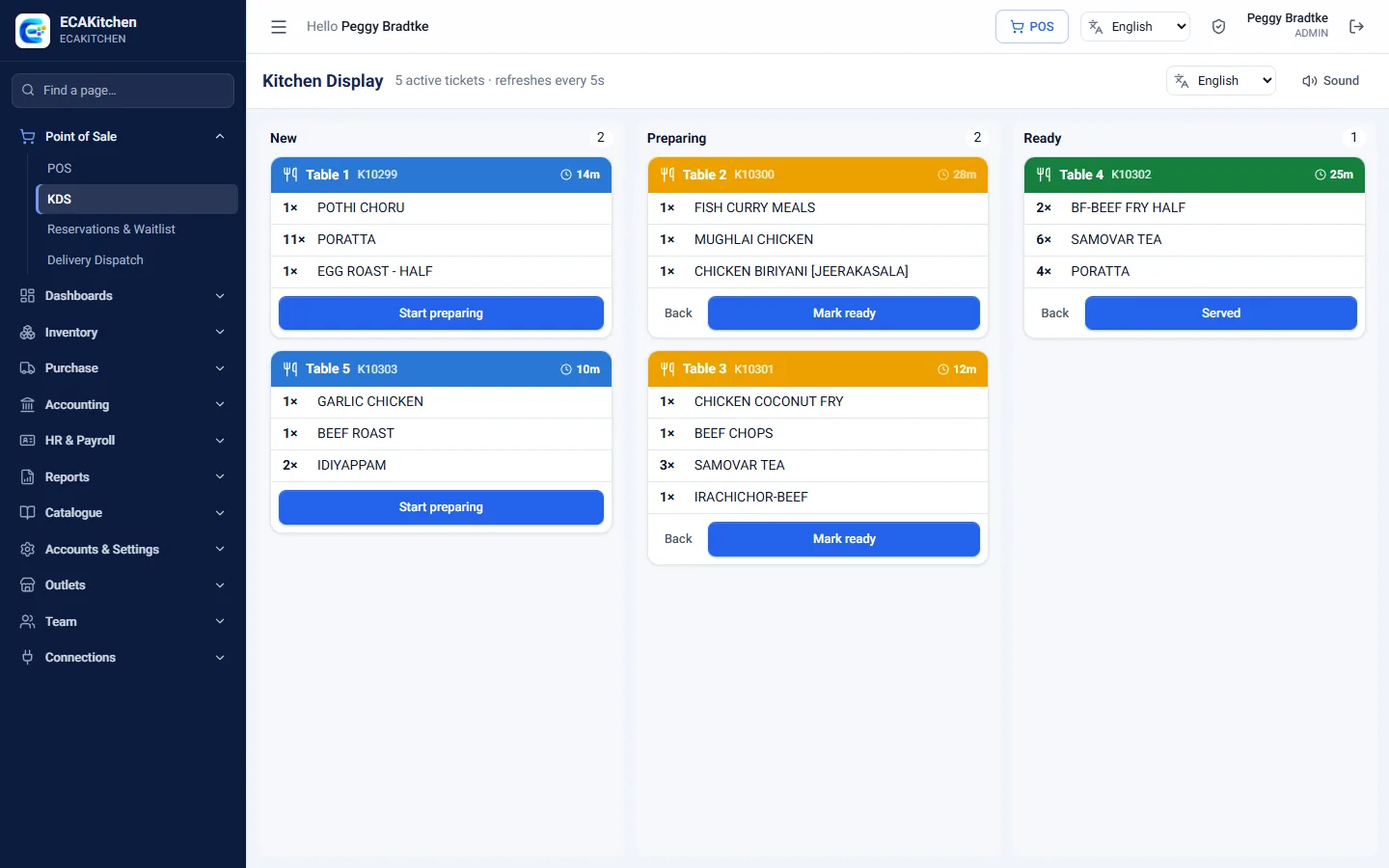
- Orders go straight to the kitchen display
- Menu in the guest's own language
- Online table booking
- Guest history for regulars
- Works with dine-in tables and branches
QR code menu & table ordering: common questions
Do guests need to install an app?
No. They scan the QR code with the phone camera and the menu opens in the browser.
Can staff still take orders?
Yes. Guests and waiters can both add to the same table's order, and everything appears on one bill.
Where do dish photos come from?
Upload your own, or pick dishes with photos from the built-in dish library.
Explore more features
Restaurant POS software
Take orders at the table or the counter, send them to the kitchen in one tap and settle bills in seconds, by cash, card or wallet. RMS Cloud runs in the browser on the tablets and PCs you already have.
Learn more RMS CloudKitchen display system (KDS)
Orders from the till and from guests' phones appear on the kitchen screen the moment they are placed. Cooks see what is new, what is late and what is ready, and waiters know when to pick up.
Learn more RMS CloudRestaurant inventory & food cost
Link recipes to your menu and every bill deducts the right ingredients. Supplier bills update prices, so you always know what each dish really costs and where stock is going.
Learn moreReady to try it in your restaurant?
Register online and start in minutes, or ask us for a walk-through with your own menu.